

Quick start
Three ways to use the package, from one line to full control.
Pick the way that fits. Most apps use the first one.
| You want | Use |
|---|---|
| A ready-made prompt | <UpdatePrompt /> |
| Your own screen or banner | useVersionCheck() |
| One answer in plain code | needUpdate() |
The prompt
Put it once in your root component, next to your screens:
import { UpdatePrompt } from '@axonpack/in-app-updates';
import { Text, View } from 'react-native';

export default function App() {
  return (
    <View style={{ flex: 1 }}>
      <Text>My app</Text>
      <UpdatePrompt />
    </View>
  );
}
It checks when the app starts and again every time the app comes back to the foreground. It renders nothing while the app is up to date.
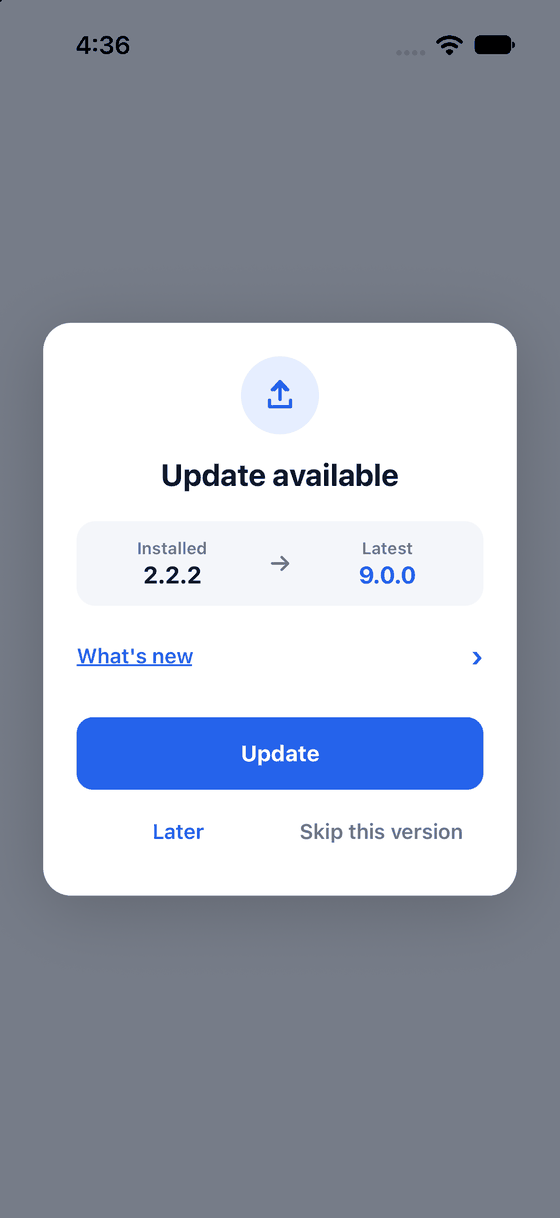
Update opens the store. Later hides the prompt until the next start. Skip hides it until a newer version.
The hook
Use the hook to build your own banner or screen. Put it in any component:
import { useVersionCheck } from '@axonpack/in-app-updates';
import { Button } from 'react-native';

export function UpdateBanner() {
  const { isLoading, isNeeded, latestVersion, openStore } = useVersionCheck();

  if (isLoading || !isNeeded) return null;
  return <Button title={`Update to ${latestVersion}`} onPress={openStore} />;
}
isNeeded is true when there is something to show. openStore opens the store page.
A one-off check
Use this in plain code, for example in a startup function:
import { needUpdate } from '@axonpack/in-app-updates';

export async function checkForUpdate() {
  const result = await needUpdate({ ignoreErrors: false });

  if (result.isForced) return 'must-update';
  if (result.isNeeded) return 'can-update';
  return 'up-to-date';
}
The result also has currentVersion, latestVersion, storeUrl, releaseNotes and
updateType (major, minor, patch, prerelease, build or none). See the
reference.
Why ignoreErrors: false?
By default a failed check logs a warning and returns undefined, so an offline phone never throws
in your startup code. ignoreErrors: false makes it throw a clear error instead, which is easier to
debug. Remove it in production if you prefer the quiet behaviour.
Next: The update modal