

Overview
Tell people when a newer version of your app is in the store, with a prompt that already looks right.
This package checks the App Store or Play Store for a newer version of your app. If there is one, it shows an update prompt. You need it when you want people to move to your latest release.
Install it, then add one component to your root component:
npx expo install @axonpack/in-app-updates expo-application expo-localizationimport { UpdatePrompt } from '@axonpack/in-app-updates';
import { Text, View } from 'react-native';
export default function App() {
return (
<View style={{ flex: 1 }}>
<Text>My app</Text>
<UpdatePrompt />
</View>
);
}That is all. When the store has a newer version than the one installed, the prompt opens.
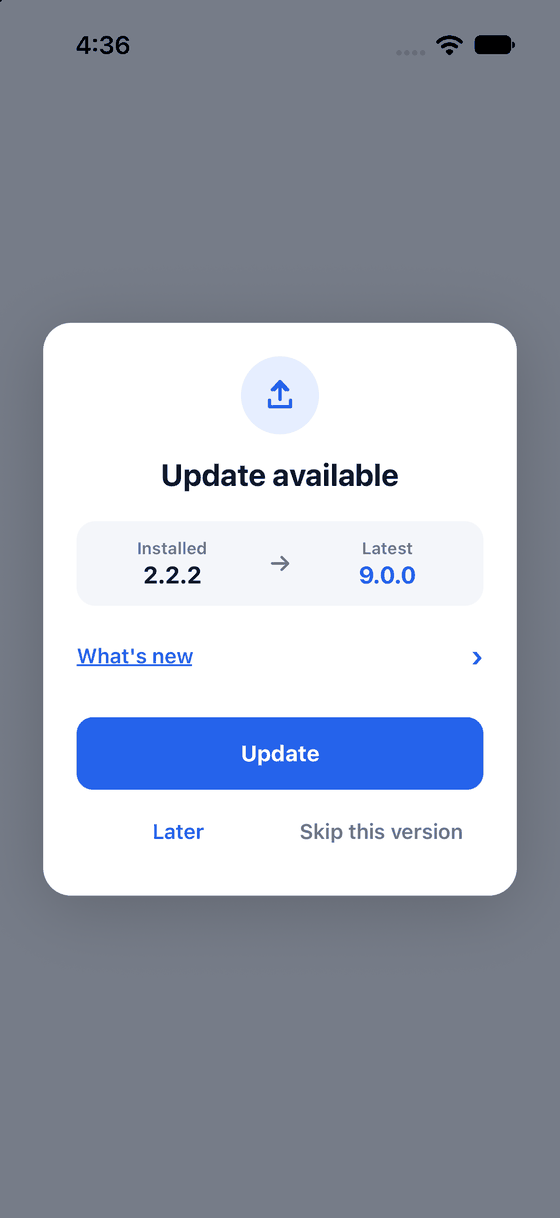
The default prompt: the installed and latest versions, a What's new row, and three actions.
You will not see it yet
Your app is probably on the latest version, so the prompt stays hidden. To see it before you publish anything, use a mock, which is a fake release you set up in code.
Plain words
| Word | Meaning |
|---|---|
| Soft update | A newer version exists. People can postpone it with Later, or skip it |
| Forced update | People must update to keep using the app. There is no Later and no skip |
| Minimum version | The oldest version you still allow. Anything older gets a forced update |
| Release notes | The "What's new" text you wrote in the store. The prompt shows it when the store gives it |
| Provider | Where the latest version is read from: the App Store, the Play Store, or your own server |
| Mock | A fake release you set up in code to test the prompt |
What you get
- A prompt you can ship as it is. Icon, both versions, collapsible release notes, light and dark mode.
- Your own look. Change the colours and fonts, or draw the whole prompt yourself.
- Forced updates and skip. Make an update mandatory by minimum version, by size, or by your own rule.
- Your own server. Read the latest version from a JSON file instead of a store, or as a backup for one.
- No native code to install. It runs in Expo Go. Google Play's in-app update is an optional extra.
Next: Installation