

Force and skip
Decide which updates are mandatory, which can be skipped, and how the choice is remembered.
Use this page to decide who must update and who may wait.
- A soft update can be postponed with Later or skipped for good.
- A forced update can be neither. The user must update to keep using the app.
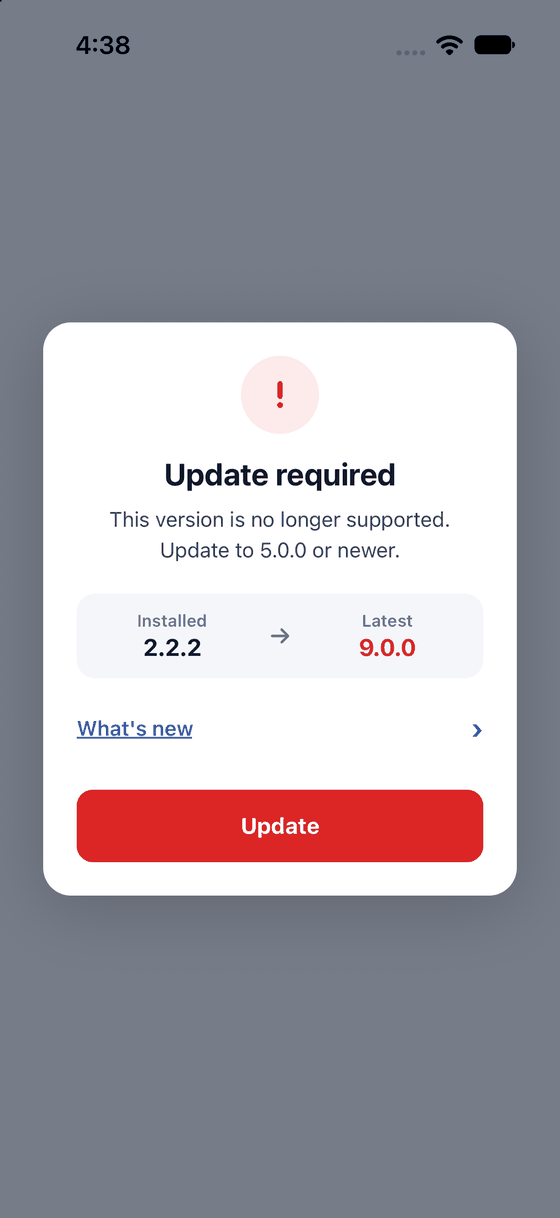
A forced update: a red badge, and only the Update button.
Make an update forced
Add one of these options to <UpdatePrompt />:
| Option | An update is forced when |
|---|---|
minimumVersion="5.0.0" | The installed version is older than 5.0.0 |
required | Any update is available |
required="major" | The update is a major one, such as 2.x to 3.0. "minor" means minor or bigger, "patch" means any release |
required={fn} | Your function returns true. It gets the result, so you can look at updateType |
A minimum version is the oldest version you still allow. Use it when an old build breaks, for
example when your server dropped an API. Use required when you want everyone on the newest build.
import { UpdatePrompt } from '@axonpack/in-app-updates';
import { Text, View } from 'react-native';

export default function App() {
  return (
    <View style={{ flex: 1 }}>
      <Text>My app</Text>
      {/* Major releases are mandatory. Smaller ones can be skipped. */}
      <UpdatePrompt required="major" />
    </View>
  );
}
Your own server can also say "required": true in its JSON. See Providers.
Skip this version
Skip this version hides the prompt for that exact version. When a newer version comes out, the prompt returns.
- A forced update can never be skipped.
canSkip={false}removes the button from soft updates.- Later hides the prompt only until the next start.
By default a skip is remembered until the app restarts. To keep it for good, give skipStorage
something that can save a string. AsyncStorage works as it is:
import AsyncStorage from '@react-native-async-storage/async-storage';
import { UpdatePrompt } from '@axonpack/in-app-updates';
import { Text, View } from 'react-native';

export default function App() {
  return (
    <View style={{ flex: 1 }}>
      <Text>My app</Text>
      <UpdatePrompt skipStorage={AsyncStorage} />
    </View>
  );
}
skipStorage is any object with getItem and setItem, so MMKV adapters and localStorage fit too.
It saves one string under axonpack.in-app-updates.skip. skipStorageKey changes that name.
How big is the update?
The result has updateType: major, minor, patch, prerelease, build or none. build means
the same version with a higher build number. To ignore small differences, set depth. For example,
depth: 2 compares only the first two numbers, so 1.2.9 and 1.2.0 count as equal.
Next: Providers