

Overview
Browser-style devtools that live inside your React Native or Expo app.
Tap a floating button and get a panel of tabs on the device itself. No desktop debugger, no cable, and nothing captured until you switch it on.
npx expo install @axonpack/expo-devtools react-native-safe-area-context react-native-webview expo-clipboardFor AI agents
An AI agent working on your app can read everything these tabs record, from a terminal, without
seeing the phone. It finds the running app, asks a tab for its rows, filters them with --where,
--grep and --since, and opens one row whole: the failing request with its headers and body, the
error in the console, the stack of a crash. It can also mock or block a URL, and send a request from
inside the app.
npx devtools network --where state=error --since 10mYour redaction settings hold, and auth headers and cookies are always masked. The
CLI tab lists each query and action, and the reply it
got. Use with AI agents has every command, and a snippet to paste
into your AGENTS.md or CLAUDE.md. Every flag and error is in the
devtools CLI reference.
The axonpack agent skill sends your agent to these docs, where it learns this tool and how to set
the package up. Agent skill has the command for each package manager.
npx skills add axonpack/skillsThe tabs
| Tab | What it gives you |
|---|---|
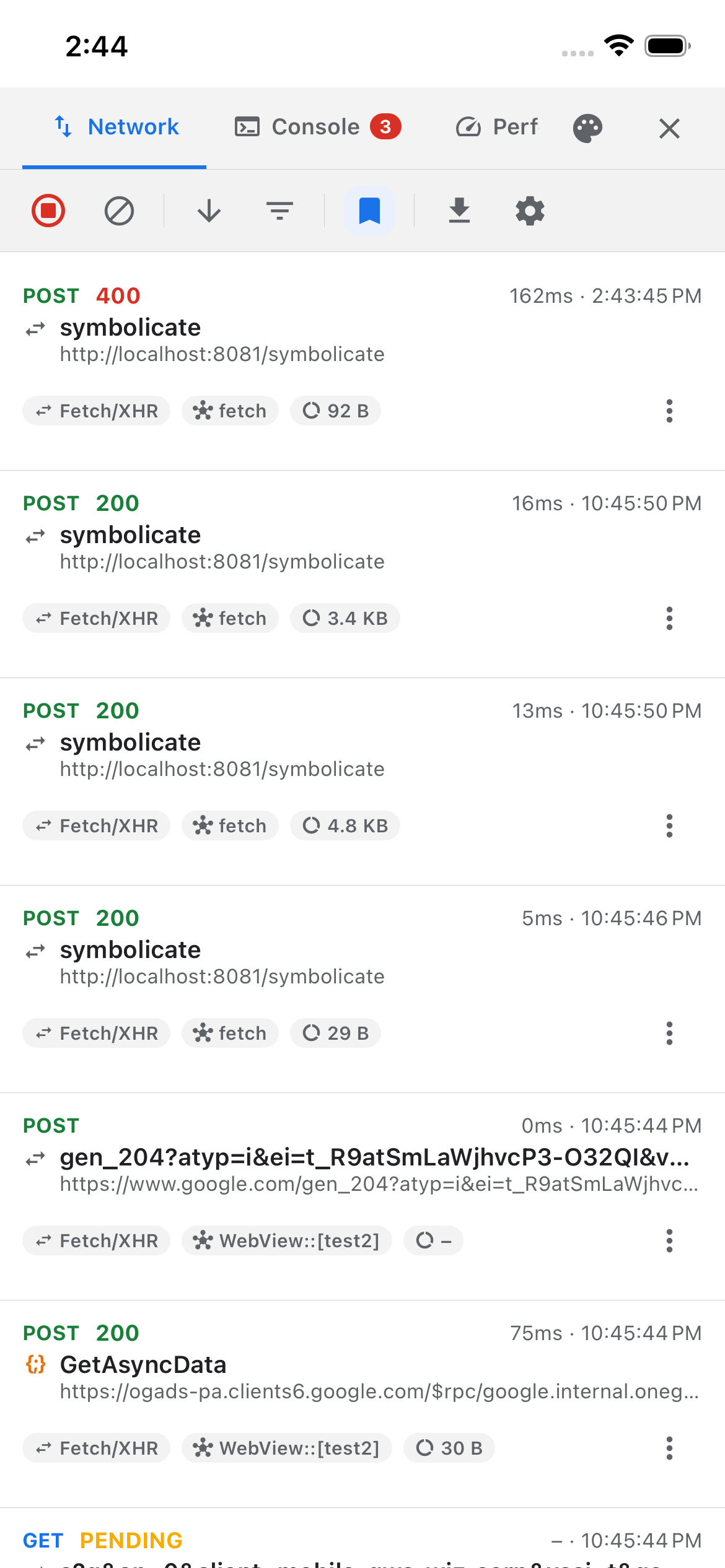
| Network | Every request, searchable, resendable, with connection throttling |
| Console | Every log, plus a > prompt that answers |
| Performance | Frame rate, memory, startup, and the moments the app froze |
| Storage | Every key you have saved. Search it, edit it, import and export it |
| Navigation | Every screen the app moved through, with its params and how long it stayed |
| Preview | What runs now, and switching between previews and dev servers, with @axonpack/preview |
| Crashes | JS errors, unhandled rejections, render errors and native exceptions, as readable reports |
| CLI | Every query and action made in the app with the devtools tool, with the reply it got |
| Debug | Tools that block or crash a thread on purpose |
Network, Console, Performance, Storage, Preview, Crashes, CLI and Debug are also on your computer, in React Native
DevTools, from one line in metro.config.js.
Four more guides cover things that are not tabs: AI agents, themes, capturing inside an in-app browser, and supports for other packages, which add tabs such as Preview.
What makes it different
- One native module, on purpose. It is there only for what JavaScript cannot reach at all: the main thread, the real process start time, the phases inside a request, the process's own memory, and an uncaught native exception. Everything else is JS, so the package works in Expo Go with only a handful of readings dark.
- It depends on no storage library. The Storage tab reads the stores you register, which is why adding this package cannot drag AsyncStorage or MMKV into your app.
config.enabledis the only gate. Ship the code freely: with it off, nothing is patched, observed or recorded, and the provider draws nothing but your app.- It states its limits. Every guide here ends with what the tab cannot measure and why, rather than showing a number it had to invent.
Where to go next
Installation
One install command and three peer dependencies.
Compatibility
The versions this is built against, and what it pins you to.
Quick start
Wrap your app in the provider, once, at the root.
Use with AI agents
Let an agent read the app's devtools from a terminal.
Reference
Every control and every option, field by field.
Leaving it in production
What ships, and what stays dark.
Example app
A runnable app that exercises every tab.